Originally published as an Advisory Hour Substack post on 2026-10-10. This first-party site copy preserves the text, localizes public supporting media, and connects the record to its project trail.
Original post
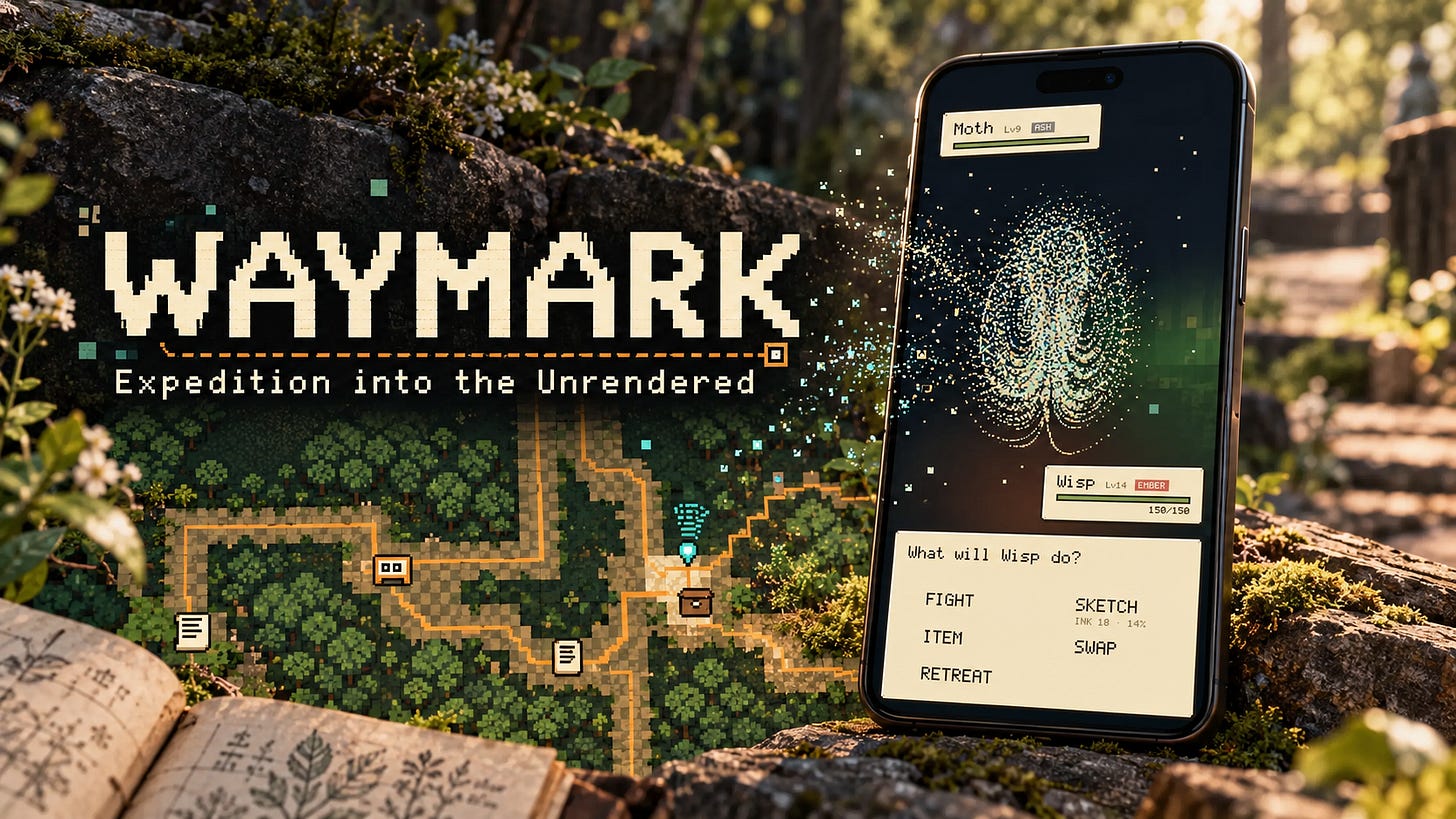
Waymark let’s you leave notes and do Pokémon like gameplay with mathematical structures like a Lorenz Attractor made up from the pixels of where-ever it is that you are standing. Did you read that line? It’s OK if you need a moment after reading that line-I get it :)
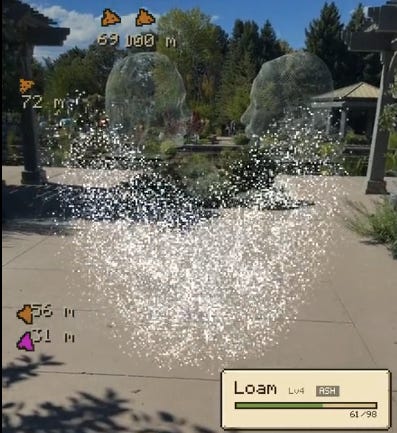
Waymark is the first augmented reality project I’ve done in several years. I’ve experimented with the Vive headset, Google Glass, and Unity’s augmented reality tools. Some of those tools were pretty good, but the time it took to get to a useful application was excruciatingly long.
I’d have a couple of hours on a weekend between activities, or a few minutes during the week. I made some really cool experiments, but I could never quite get them to a point where they felt complete. Waymark is the first augmented reality project I’ve built with AI that I feel is interesting enough to share with you all.
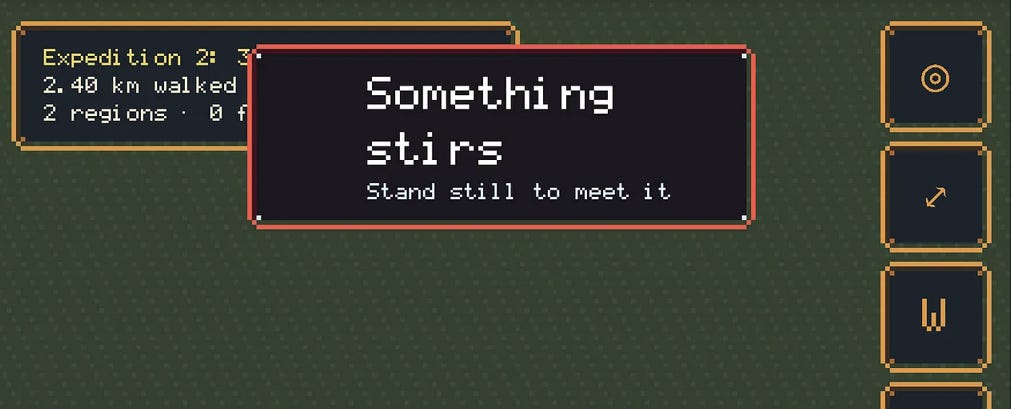
One of its best features is that it runs in your browser and doesn’t need an active internet connection once it’s loaded.
Connectivity has been a recurring problem with my previous experiments. At some point, I’d want to synchronize data with a server, and inevitably the connection would drop. Around where I live, that might mean being out near farm fields, somewhere rural, or just walking beyond the reach of Wi-Fi. Waymark keeps working. I tested it all day here in Denver, and it worked great.
So what is it exactly?
Waymark combines a field journal with a game you play by walking. You can leave notes for yourself at real locations, take photos, and find those marks again through your camera. There’s a bit of a detective mystery feel to it. You can even leave a note for your future self that stays closed until a time you choose.
The feature set is fairly rich, but the thing I particularly like is that all this data stays with you. Your notes and photos stay on your phone.
So far, I haven’t hit a storage limit in my testing. Out and about, I’m usually limited by the amount of time I have to try things.
It’s remarkably fun to walk around, take photos, and leave your own marks along the way. I was hiking through an area with unusual rock formations and all kinds of interesting things to look at. Being able to capture those as I went, then watch the map build itself in real time, was a real treat.
The ground you walk through gets revealed on the map. Over time, that becomes a record of where you’ve been and the routes you keep returning to. Your notes and photos give you something to find there again.
Then there’s the question of getting your data back out.
That’s another frustration I’ve had with these kinds of apps. You put all this information into them, and then getting it back out is difficult, or they want to charge you $10 a month for the privilege.
In Waymark, you can go to the Dispatch tab and export the whole journal as a JSON file. You can keep a backup, move it to another phone, or use the data in something else.
There’s no server-side infrastructure here. It’s running on your phone, so there’s no remote synchronization to wait for and no subscription required to get at your own notes. For me, those are some of the most useful features in the whole experiment.
The caveat is that you need to keep a copy. If you clear the browser’s site data, you can lose the journal stored there. Exporting it gives you a copy outside the browser.
Maybe down the road, if there’s interest and a good reason for it, I’ll look at adding a server. For now, I’m trying to avoid the ongoing cost and overhead. I wanted something I could take out walking and actually use. Something you can use today, too. No login, just hit the webpage and done. Augmented reality master-class.
There’s also a completely optional game tucked into Waymark. It’s Pokémon-like: you encounter creatures out on the map, do battle, and collect them. One of them is built from a Lorenz attractor, which I just find hilarious.
These creatures are made from pixels from reality. The game takes a frame from your camera, pulls the pixels loose, and forms them into a creature. So whatever you’re looking at contributes to what shows up.
There’s a little NPC dialogue, and you can engage with the game or just ignore it and keep walking. It makes for a fun way to experience the world from a slightly different perspective. There are similarities to Pokémon Go, though everything here runs locally on your phone. I’m trying to keep it light enough to use out walking without cooking the phone or chewing through the battery.
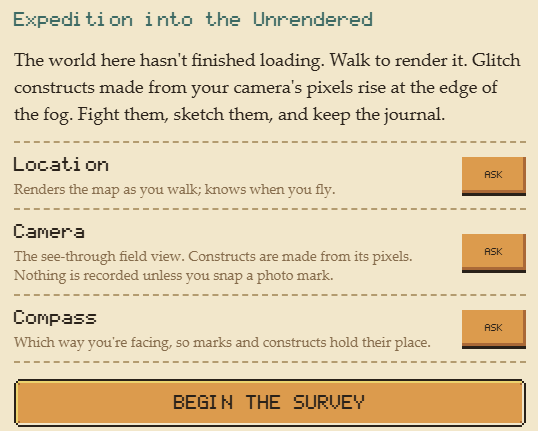
At the beginning, Waymark asks for camera and location access, plus motion and orientation access on iPhone. The camera lets you take photos and see the creatures against your surroundings. Location tells the app where to place your marks and which ground you’ve covered. The compass uses your heading to keep things in the right direction as you turn.
If you’ve disabled location access for your browser, you’ll need to turn it back on to use those features. The app needs to know where you are to attach a note to a place or build the map as you walk.
You might also see a warning about the runtime cache when you first load Waymark. I added a system check to catch problems that could interfere with the experience. If that warning appears, use the app’s cache reset option and continue. That resets the runtime cache while keeping your journal data.
Record your adventures: Waymark: Expedition into the Unrendered | GameLab
Read more: Waymark: Expedition into the Unrendered | GameLab
Here’s a battleclip if you’re curious how the mini-game works. It’s turn based combat, and you can collect other fighters. If you run into any game-breaking bugs, please hit me up. So far it’s held up really well-almost surprisingly so!
Connected work
- Waymark Build Notes: Read about the journal, pixel creatures, and browser app.
- Try Waymark: Take the field journal and optional creature game out walking.