The engine has a sequel.
Apostate Engine II: The Unfinished Sun adds Blender-built machinery, three coupled controls, and a collector crown with room for something that cannot quite stay whole.
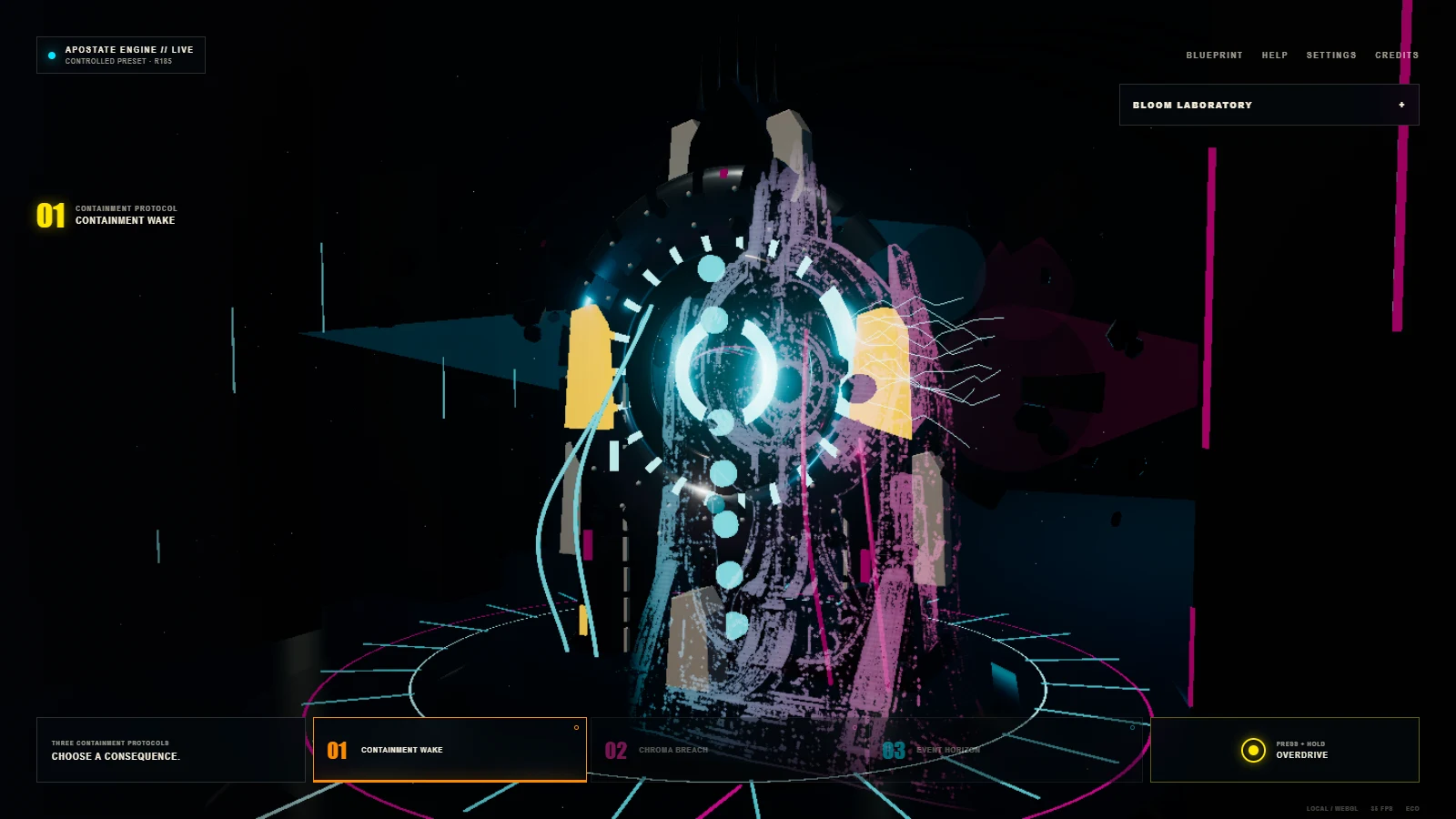
The machine is fine until you touch Overdrive
The Apostate Engine stands in the rain with a black circle where a polite machine might keep its controls. Cyan light crawls around the ring. A low reactor hum begins. Then a button asks you to press and hold Overdrive.
This is a bad idea, so naturally it is the first thing worth trying.
Apostate Engine 185 is a browser-built science-fiction exhibit. The machine is fictional. The renderer, controls, sound, models, and engineering archive are working software. The goal was to make one dramatic object feel large enough to deserve its own weather system, then let the visitor inspect how the trick works.
- Runtime
- Static Three.js r185
- Concept model
- 30 selectable parts
- Network after load
- None required
Three ways to bother a gravity engine
The live view has three containment protocols. Containment Wake pushes a clean cyan pulse through the chamber. Chroma Breach brings in magenta and turns the room into an argument between two colors. Event Horizon pulls the scene toward the dark center.
Each protocol changes movement, light, atmosphere, and sound. Overdrive adds one more bad decision on top. Hold it and the radiance climbs while the machine answers with more energy. Let go and the system tries to act normal again.
A small bloom laboratory exposes the useful controls. You can choose Controlled, Wet, or Rapture, then adjust radiance, spread, and the light gate. Turning bloom off is especially helpful. The raw render is still the same machine, but its mood has been asked to leave the room.
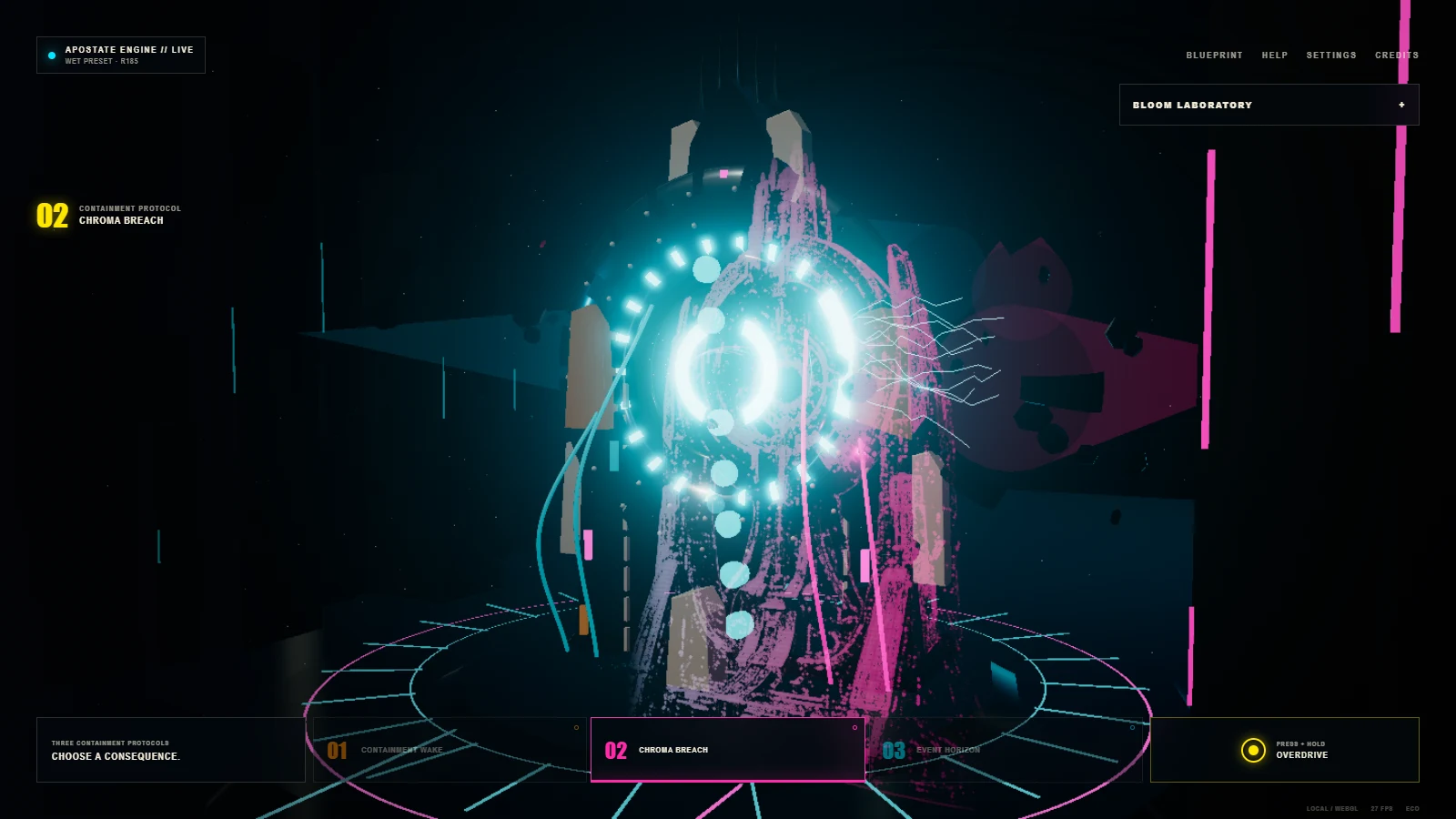
Bloom is light with paperwork
The bright haze comes from UnrealBloomPass, part of the official Three.js post-processing tools. A normal render draws the scene first. Bloom finds pixels bright enough to qualify, spreads their light across several image sizes, then combines the result with the original frame.
The threshold decides which pixels may glow. Strength decides how loudly they glow. Radius decides how far the glow travels. This is why the controls feel more useful than a single neon switch. A narrow highlight can make metal readable. Too much bloom can make the entire reactor look as if it was photographed through soup.
The scene uses an original model, camera, layout, copy, and interaction design. It demonstrates the capability of the official bloom pass, not the scene from the Three.js example.
Then the wall becomes a blueprint
The Technical Archive changes the experience from spectacle to inspection. The engine turns into an interactive CAD view with a 30-part assembly tree. Select the containment ring, reactor spine, foundation, crown, capacitors, vents, or the suspicious object labeled singularity horizon.
You can switch views, use orthographic projection, isolate a part, reveal an X-ray view, explode the assembly, cut a section, and measure points. Each component opens a short dossier covering its job, construction, operating role, limits, and reality class.
That last label matters. Hardware, frontier ideas, and invented Apostate lore do not pretend to be the same thing. The archive keeps the fiction fun without asking it to wear a lab coat.
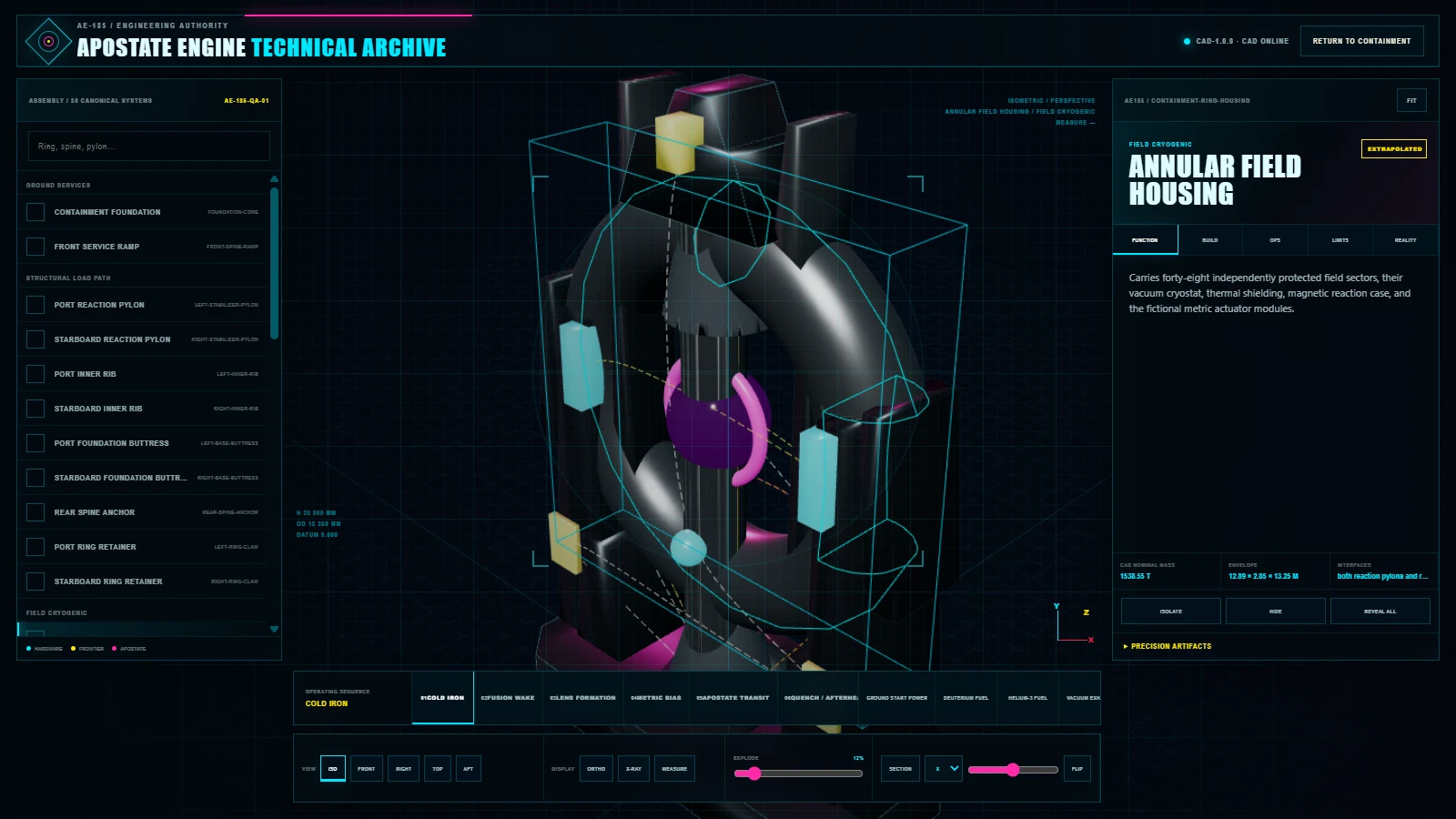
A 20-meter machine inside a static folder
The concept model describes a machine 20 meters tall and 13.5 meters wide. The browser does not need to carry the full workshop version. Desktop visitors receive a GLB with about 149,000 triangles. Smaller screens receive a lighter model with about 47,000.
The complete experience is ordinary static HTML, CSS, JavaScript modules, local Three.js files, textures, and models. Procedural WebAudio supplies the storm, reactor drone, alarms, and control cues after the visitor provides the required first gesture. Once the files arrive, the runtime makes no outside network request.
The archive also offers the FreeCAD master, STEP exchange model, bill of materials, PDF drawing pack, DXF drawings, and SVG elevations. These are concept artifacts for inspection. They are not fabrication instructions.
Engines I built before this one
Apostate did not arrive alone. The 1999 EverQuest in TypeScript experiment rebuilt an old game-engine idea in the browser, with a separate set of architecture diagrams showing the pieces.
The word engine later became more literal. The Hermes and Codex aerospace-engine progression followed four Blender iterations from vaguely engine-shaped to a crude airflow experiment. A later turbine-engine field note added flow arrows, while the engine-and-stone gallery let the machines become part of a stranger place.
Apostate combines both trails. It behaves like an interactive game-engine scene, but the star is the impossible machine sitting in the middle.
Materials and provenance
The runtime uses Three.js r185 under the MIT license. Metal063 textures come from ambientCG under CC0. Multi-view reference art was interpreted through the local img2threejs workflow, then turned into browser models and an exact-solid concept derivative through FreeCAD 1.1.3.
The CAD record is marked engineering concept, not for fabrication. That is the right boundary. You can inspect every ring, pylon, drawing, and dubious singularity without finding out what six million kilograms of fictional machinery does to the floor.